Nipper OmniSight helps organisations strengthen the security of their network infrastructure by ensuring that critical segments remain properly isolated, reducing the overall attack surface and limiting potential blast radiuses. Within the platform, you can define Segmentation Policies that establish precise Allow Lists for each segment, specifying which IP addresses, ranges, services, and local user accounts are permitted, along with the privilege levels required to maintain Least Privilege Access. Once these policies are in place, scheduled segmentation assessments automatically verify that your live network configuration continues to align with the defined Allow Lists, supporting ongoing operational hardening and sustained assurance.
Because the Allow Lists contain sensitive information, Nipper OmniSight securely one‑way encrypts this data so it cannot be retrieved in its original form. When a device configuration is later assessed, the platform applies the same encryption process to the relevant fields and compares the results to confirm whether the segmentation policy is being correctly enforced.
To get started, simply create a new Segmentation Policy, associate it with a segment by selecting the appropriate labels, and provide the required Allow List information. Once complete, you can then construct schedules for that segment to automate ongoing assessments.
Creating a Segmentation Policy
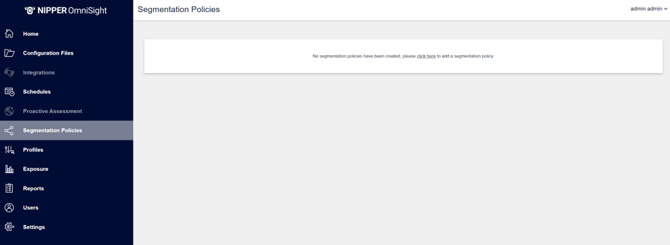
To create a new Segmentation Policy, navigate to the Segmentation Policies page using the sidebar menu. If this is your first time creating a policy, the page will display an introductory prompt inviting you to create your initial Segmentation Policy.
This section is where you define the details of your Segmentation Policy.
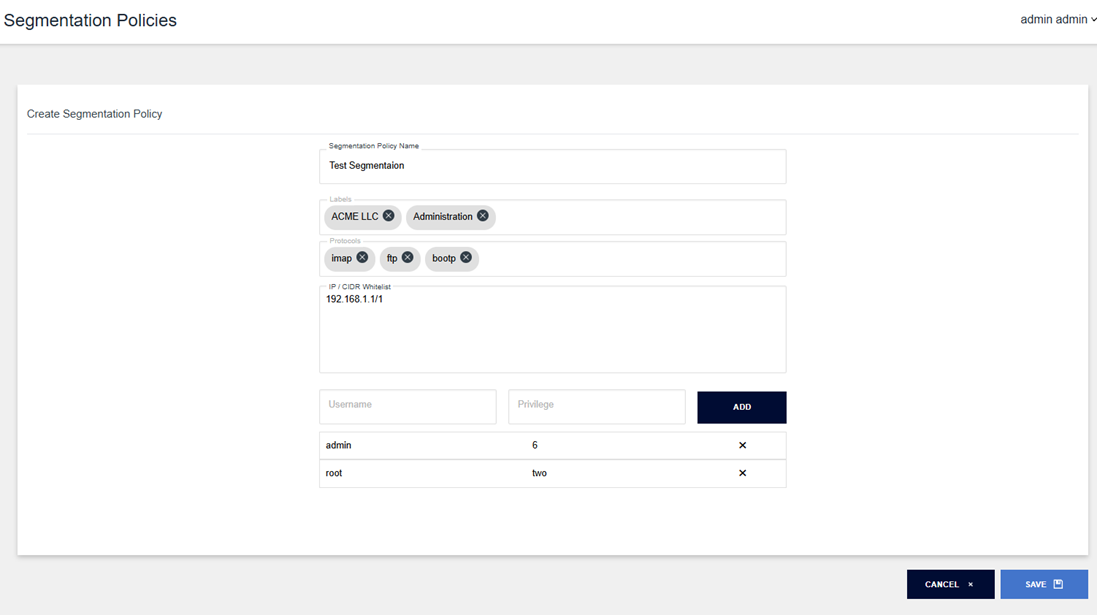
Assign the policy a clear, unique name that provides meaningful context for its purpose.
Define the segment by selecting the labels that uniquely identify it; any devices matching this label structure will automatically be included in scope for assessment against the policy.
Specify an Allow List of authorised protocols by typing into the field, matching protocol options will appear for selection, and if no match exists, you can create a new protocol entry.
Define an Allow List of authorised IP addresses and CIDRs for communication to and from the segment, using any combination of fixed IPs and ranges. Entries must be comma‑separated, and pre‑prepared lists can be pasted directly into the field.
Define an Allow List of authorised Local User Accounts and their associated privilege levels that should have access to networking devices within the segment.
Once all required fields have been completed, you can save the policy to apply your changes, or cancel to discard them and return to the Segmentation Policies page.
Your newly created Segmentation Policy will now appear in the list, as shown below
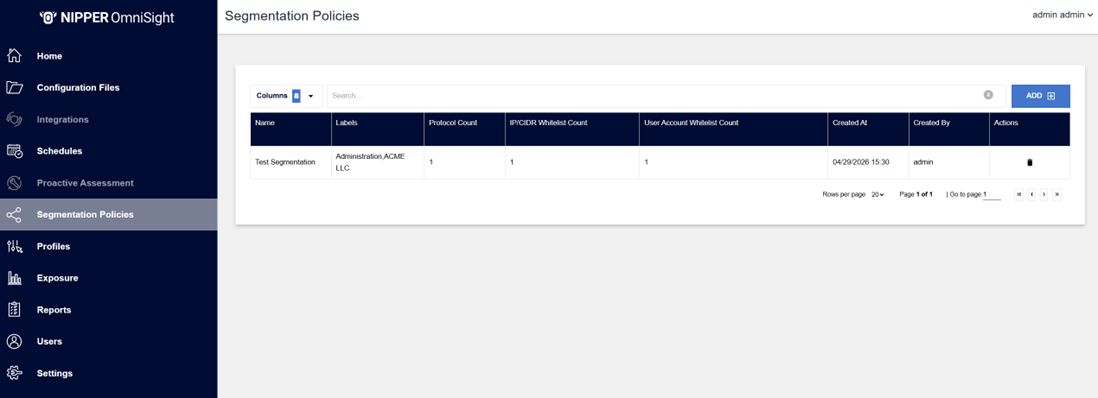
This list displays all Segmentation Policies that have been created and are ready for assessment; because the stored data contains sensitive information and is securely non‑retrievable, policies cannot be amended, but you may remove an existing policy and create a replacement if changes are required.
Deleting a Segment
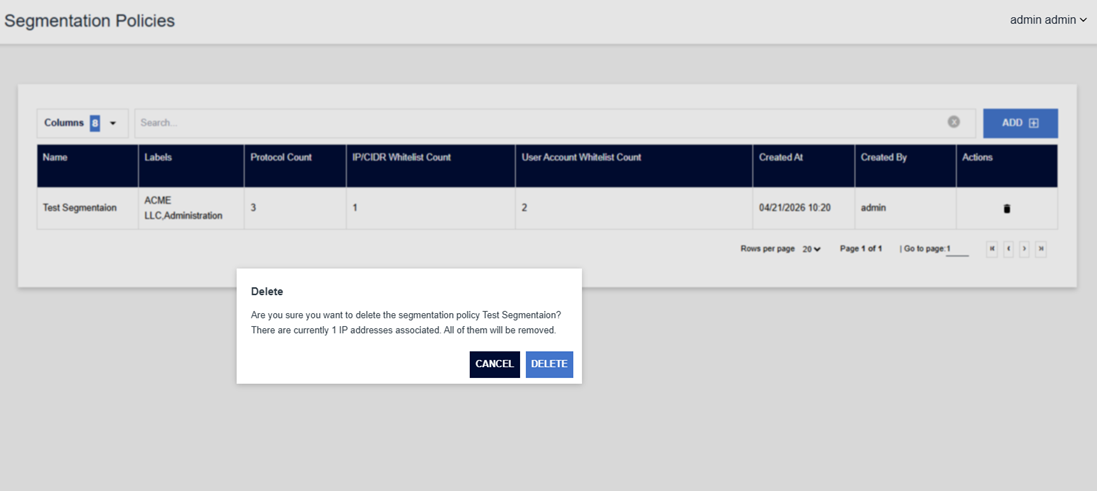
Segmentation Policies can be removed by selecting the Delete icon in the Actions column of the Segmentation Policies list. You will then be prompted to confirm that this is the policy you intend to remove before the deletion is completed.